Trigger switch setting (GX series 5) – W022322
This instruction applies to series 5 trigger switch circuit board W022322. Refer to the label on the circuit board for version information:
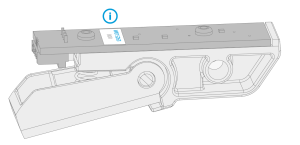

|
The series 5 Flexlite GX welding guns are designed and set up for Kemppi Fastmig, Pro and Kempact Pulse equipment by default (trigger switch circuit board W022322). The secondary trigger switch setting provides general support also for other than the above-mentioned Kemppi welding equipment. Use this option with caution. |
Settings diagram:
| D1: Primary (default) | D2: Secondary | ||
| ON | ON | ON | ON |

|

|
|
|
| 1 | 2 | 1 | 2 |
| - Kemppi Fastmig - Kempact Pulse - Kemppi Pro |
- Kempact Classic - Fitweld - X3 MIG Welder - Kempact RA - Other than Kemppi |
||
Tools needed:

TX6 |
For changing the setting:
| 1. | Detach the trigger switch. Refer to Trigger switch replacement for more detailed instructions. |
| 2. | Set the two dip switches on the circuit board to the correct position (refer to the settings diagram above). |
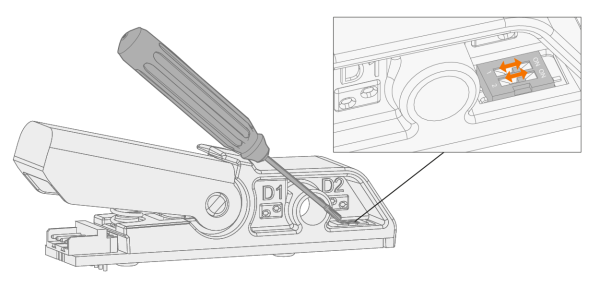
| 3. | Reassemble and reinstate the trigger switch. Refer to Trigger switch replacement for more detailed instructions. |
