Digital WPS: selecting WPS pass in WPS view
Proceed as follows:
| 1. | Go to the View menu > WPS. |
>> Control Pad shows the active WPS in the WPS view.
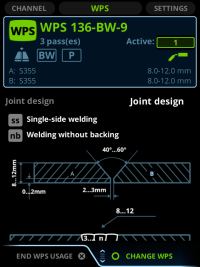
>> If there is no active WPS, Control Pad shows the WPS list. Select the WPS.
| 2. | Move focus to Active pass. |
>> The information under Active pass is pass-specific and varies according to the pass.
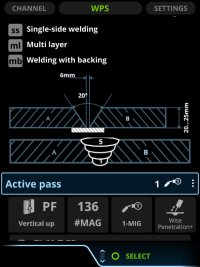
| 3. | Press the green button to open the menu. |
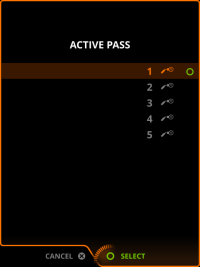
| 4. | To change the pass selection, scroll to a pass in a list. |
| 5. | Press the green button to select the pass and to return to the WPS View. |

|
You can also select the WPS or pass in the Channel view. See Digital WPS: selecting WPS or pass in channel view. |
