Welding view
During welding, the control panel display shows the welding current and arc voltage.
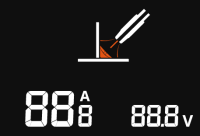
Adjusting the main welding parameters is also possible during welding by turning the control knobs. Depending on the welding process used, and if applicable, pressing the right control knob switches between the secondary welding parameters (e.g. fine tuning and dynamics).
>> When starting to adjust the welding parameters during welding, the view is temporarily changed from the welding view to the main view to show the adjusted welding parameters for the current welding process (e.g. wire feed speed and fine tuning).
