Control panel display items

1. Memory channels (1...5) and remote control indicator (shown when torch remote control is used for changing memory channels)
>> Refer to Memory channels for more information.

2. Warning and caution indicators and VRD (Voltage Reduction Device) indicator
>> Refer to Warning and error indicators for more information.
>> The voltage reduction device (VRD) function is used with MMA and Gouging modes only, and only if the function is enabled on the welding equipment. For more information, refer to Voltage reduction device (VRD).
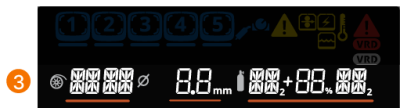
3. Filler wire material, diameter and shielding gas settings
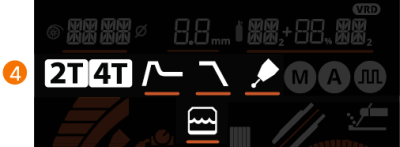
4. Trigger logic, Hot start, Crater fill, Post current and water cooling indicators
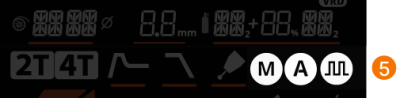
5. MIG welding process indicators

|
Automatic MIG (1-MIG) |

|
Pulse MIG |

|
Manual MIG |
6. Settings lock and safety lock indicator (when the safety lock is activated, the display also shows the text "LOCKED").
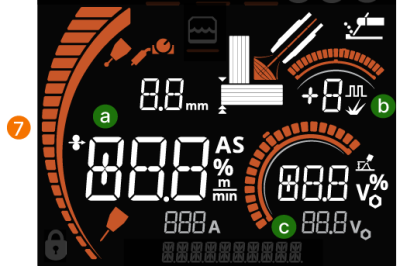
7. Main welding parameters:
| a. | Wire feed speed adjustment and indicators for material thickness and remote control (when torch remote control is used for welding parameter adjustment) |
| b. | Dynamics or pulse adjustment |
| c. | Voltage or voltage fine tuning |
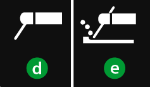
| d. | MMA icon (when MMA mode is selected) |
| e. | Gouging icon (when Gouging mode is selected). |

8. Arc voltage and terminal voltage indicators (arc voltage on the left, terminal voltage on the right).

9. Information line
The following parameters and settings are shown as text:
- Version number display (activated by pressing any button during start-up)
- "FAILED": When an error occurs while saving a memory channel
- "FACT. RESET": Factory reset
- "LOCKED": When the safety lock is enabled
- "HOT START": When adjusting Hot start (in addition to the Hot start icon)
- "CRATER FILL": When adjusting Crater fill (in addition to the Crater fill icon)
- "POST CURR.": When adjusting Post current (in addition to the Post current icon)
- "POST GAS": When adjusting Post gas
- "VOLT. ARC / VOLT. TERM": When selecting whether arc voltage ("VOLT. ARC") or terminal voltage ("VOLT. TERM") is shown during and briefly after welding
- The length of the filler wire driven with the wire inch button
Refer to Main welding parameters for more information on the welding parameters with each welding process.
You can also find the X3 control panel symbols explained here: X3 control panel symbols and icons summary.
