Weld Assist view
Weld Assist is a wizard-like utility for easy selection of welding parameters. The utility walks the user step-by-step through the selection of required parameters, presenting the selections in an easily understandable way for a non-technical user.
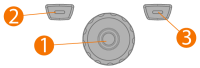
The Weld Assist feature is available for both TIG and MMA welding. In Weld Assist, the selections are made with the control knob (1) and with the two function buttons (2, 3):
Using Weld Assist with TIG welding
|
1.
|
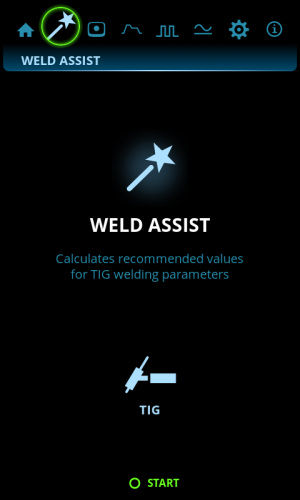
Go to the Weld Assist view and select 'Start' with the control knob button (1). |
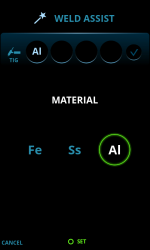
>> The material you are about to weld: Fe (mild steel) / Ss (stainless steel) / Al (aluminum).
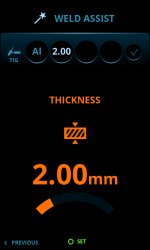
>> The welded material’s thickness (0.5 ... 10 mm).
>> The welding joint type: butt joint / corner joint / edge joint / lap joint / fillet joint / tube joint / tube+plate joint.
>> The welding position: PA / PB / PC / PD / PE / PF / PG.
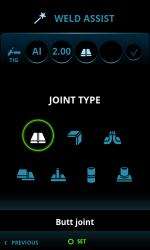
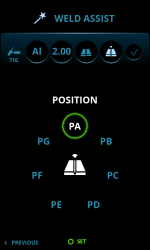

|
With MasterTig DC power sources, the aluminum (Al) selection is not available as a welded material. |
|
3.
|
Confirm the Weld Assist’s recommendation for welding settings by selecting 'Apply'. |
| Tip: You can go back step by step in Weld Assist by pressing the left function button (2). Selecting Cancel with the right function button (3), you can cancel Weld Assist recommendations and return to the beginning. |
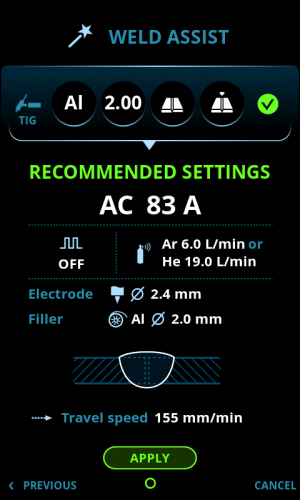
Weld Assist automatically sets the following parameters for you:
|
•
|
Current: Depends on the machine used |
|
•
|
Pulse (if used): Frequency |
|
•
|
AC and Start & stop parameters: Set to default. |
|
|
All these parameters can still be modified as per normal for the actual welding. |
Weld Assist gives you a recommendation for these:
|
•
|
Shielding gas flow: "Argon" + l/min and "Helium" + l/min |
|
•
|
Filler (if used): Material and diameter |
|
•
|
Number of passes: Number and/or visualization |
Using Weld Assist with MMA welding
|
1.
|
Go to the Weld Assist view and select 'Start' with the control knob button. |
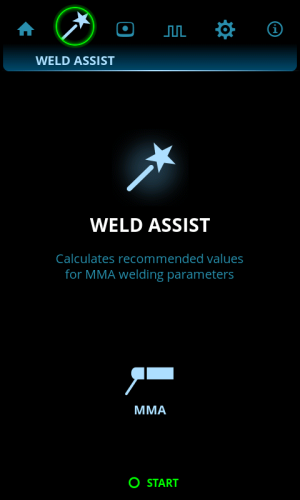
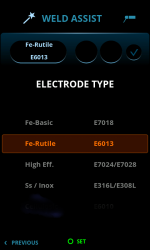
>> The electrode type: Fe-Basic / Fe-Rutile / High Eff. / Ss (stainless steel)/Inox.
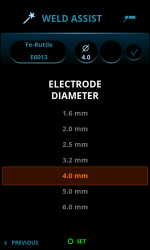
>> The electrode diameter (1.6 ... 6 mm).
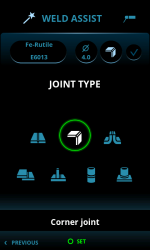
>> The welding joint type: butt joint / corner joint / lap joint / fillet joint / tube joint / tube+plate joint.
|
3.
|
Confirm the Weld Assist’s recommendation for welding settings by selecting 'Apply'. |
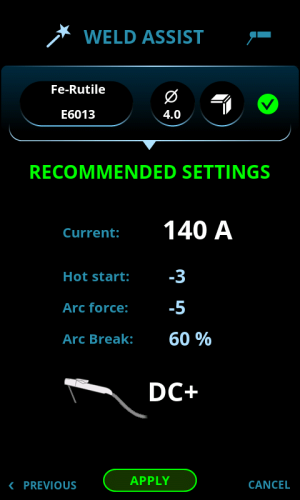
Weld Assist automatically sets the following parameters for you:
|
•
|
Current: Depends on the machine used |
|
•
|
DC+ indicates polarity (in this case the electrode holder is connected to the positive (+) DIX connector). |
|
|
All these parameters can still be modified as per normal for the actual welding. |
