Master M Cooler cooling unit (optional)
Front
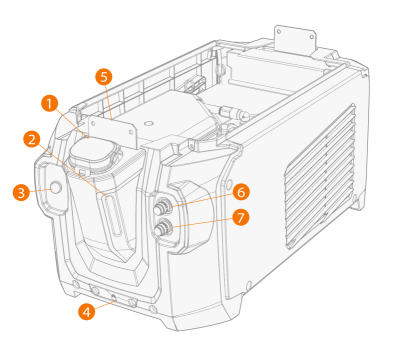
| 1. | Cooler container cap |
| 2. | Cooling liquid level indicator |
| 3. | Cooling liquid circulation button |
>> Keeping the button pressed activates the pump and circulates the cooling liquid throughout the system. Once released, the pump stops.
| 4. | Front locking interface |
>> For locking on the cart
| 5. | Front locking interface |
>> For locking to the power source
| 6. | Coolant inlet connector (red) |
| 7. | Coolant outlet connector (blue). |
Rear
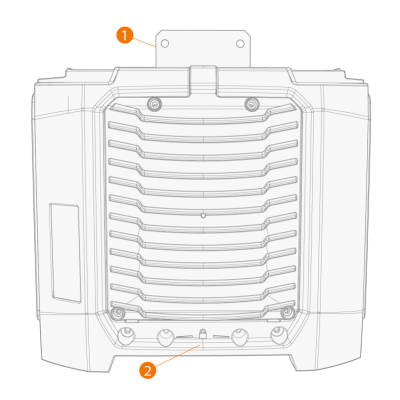
| 1. | Rear locking interface |
>> For locking to the power source
| 2. | Rear locking interface |
>> For locking on the cart.
