Flexlite GXe Manual 1922260, rev. 2615
Installing torch remote control GRe50

|
The Flexlite GXe series 5 welding torch remote (GRe50) is available as an optional accessory for series 3 and series 5 GXe welding torches, except Flexlite GXe 223G3. GRe50 is not compatible with series 8 GXe welding torches. |

|
Ensure that the welding equipment is not connected to the mains or that the welding torch is not connected at this stage. |
Tools needed:
|
1.
|
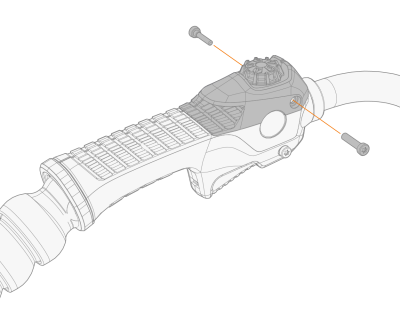
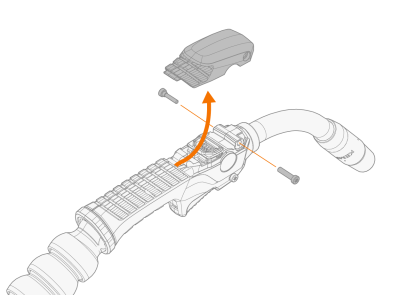
Remove the cover by releasing the screws on the sides and then moving the cover slightly forward and up. |
|
2.
|
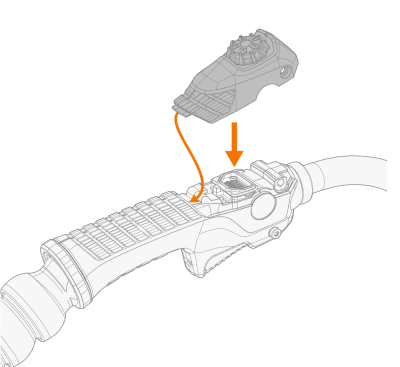
First set the torch remote control rear into the groove on the torch body and then press the remote control fully in place so that the connectors align. |
|
3.
|
Secure the remote control cover in place with the screws from the sides. |