Mounting on equipment
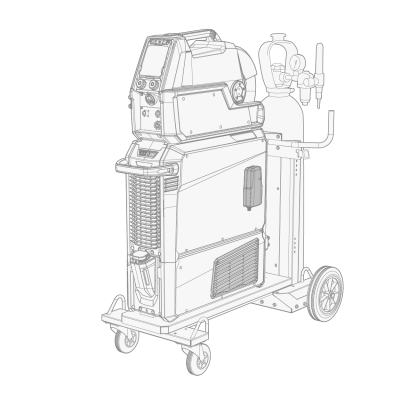
The DCM device can be fixed on the side of a power source or a wire feeder either with the factory-fitted mounting tape or with an optional DIN rail.
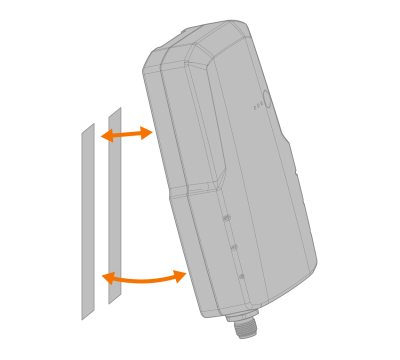
The mounting tape can be used on any clean and suitable surface. The mounting tape counterparts are attached together on delivery.

|
Do not detach the mounting tape counterpart from the DCM device before fixing. This way the mounting tape counterparts are positioned correctly on the installation surface. |

|
Install the DCM device the connectors facing down. This also prevents e.g. dust and impurities from getting into the connectors. |
Fixing with mounting tape
| 1. | Clean the installation surface (where the DCM device is to be fixed). |
| 2. | Remove the cover wrappings from the mounting tape counterpart to reveal the adhesive surface. Leave the mounting tape counterparts still attached. |
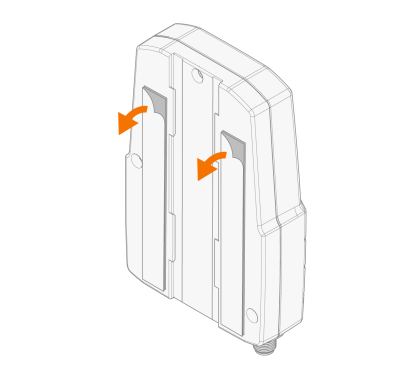
| 3. | Press the DCM device firmly against the installation surface so that the glue sticks. |
| 4. | Let the mounting tape's adhesive cure for 30 minutes. |
| 5. | Due to the velcro-type mounting tapes, it is now possible to detach and attach the DCM device if needed. |
Mounting on DIN rail (optional)
|
|
Note that the rail installation typically requires drilling fixing holes on the fixing surface for the rail itself. This is not covered by this instruction. |
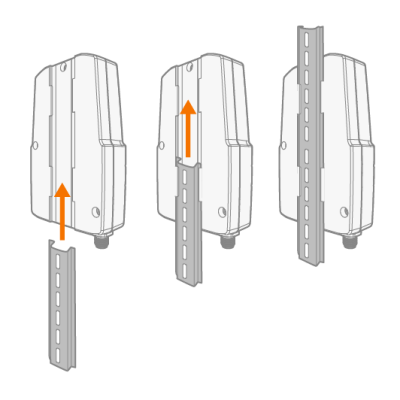
The rear of the DCM box has a groove for the standard DIN rail fixing: