Backup and restore
This feature allows the current welding parameters, memory channels and other settings to be backed up on a USB memory stick or the user's device (PC, tablet). The backed up settings can be restored later from the USB memory stick or the user's device.

|
When restoring data, AX Manager allows you to choose the data to be restored. |
|
1.
|
Turn the welding equipment on. |
|
2.
|
If creating a backup, go to the device settings and select Backup. |
|
3.
|
If restoring from a backup, go to the device settings and select Restore. |
|
4.
|
When using USB memory stick: Connect the USB memory stick to the RCM's USB port. |
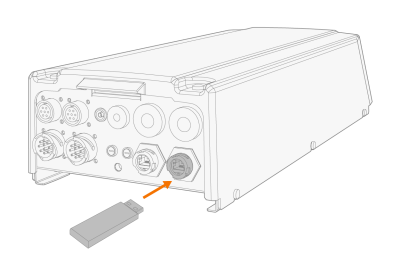
|
5.
|
Follow the steps on the AX Manager screen to complete the backup/restore operation. |
